Construction control in one mobile system

Monitor sites, track progress and keep reports close to the field

TowerR Site Forge is built for site managers and teams who need a cleaner mobile overview of active projects, construction progress, supply flow, reports and account-level operational stats.

0 Main app sections for dashboard, sites, reports and account
0 % focused on construction visibility and team coordination
0 Hour-style mobile access to project status at any moment
Active sites See progress, crews and current attention areas
Reports Quick access to audits, materials and progress summaries
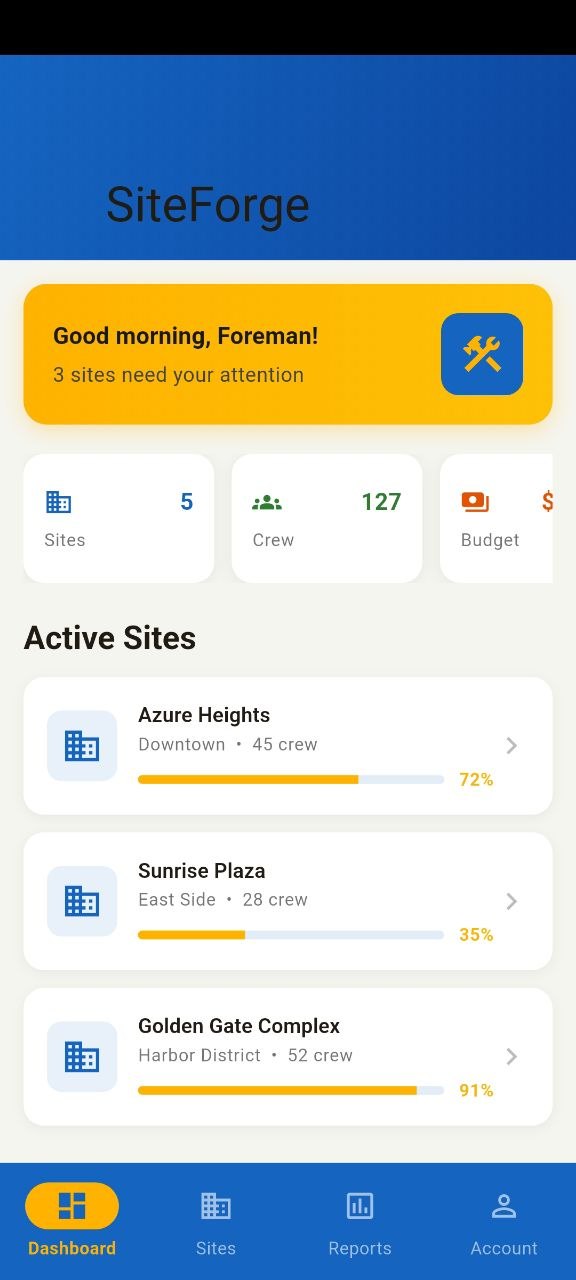
TowerR Site Forge dashboard screen
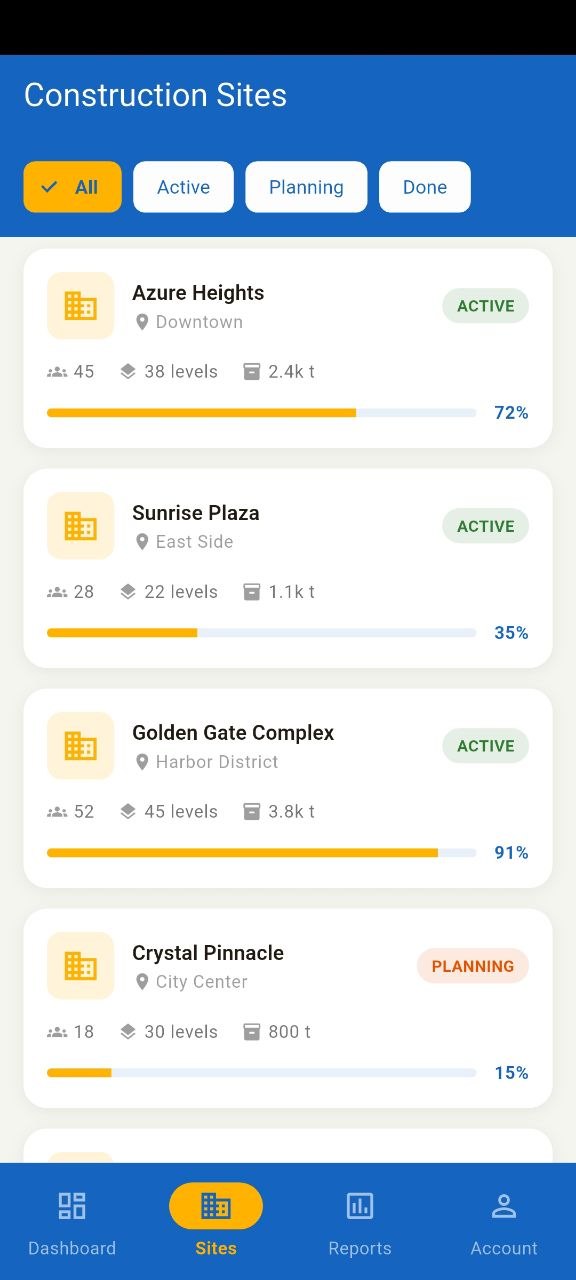
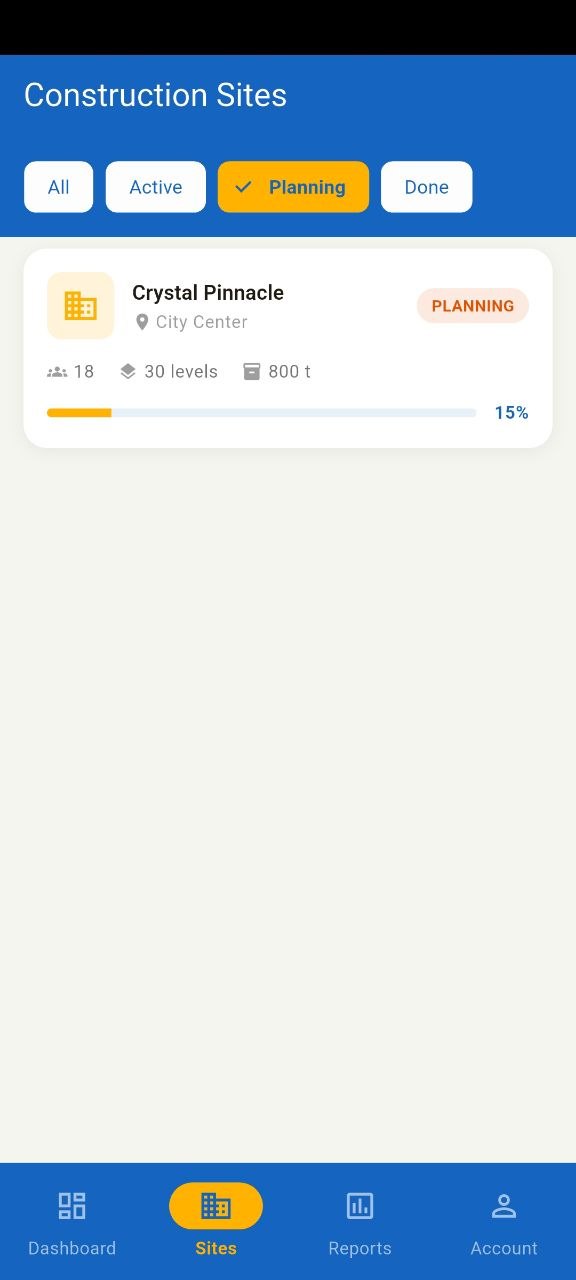
Construction sites list screen
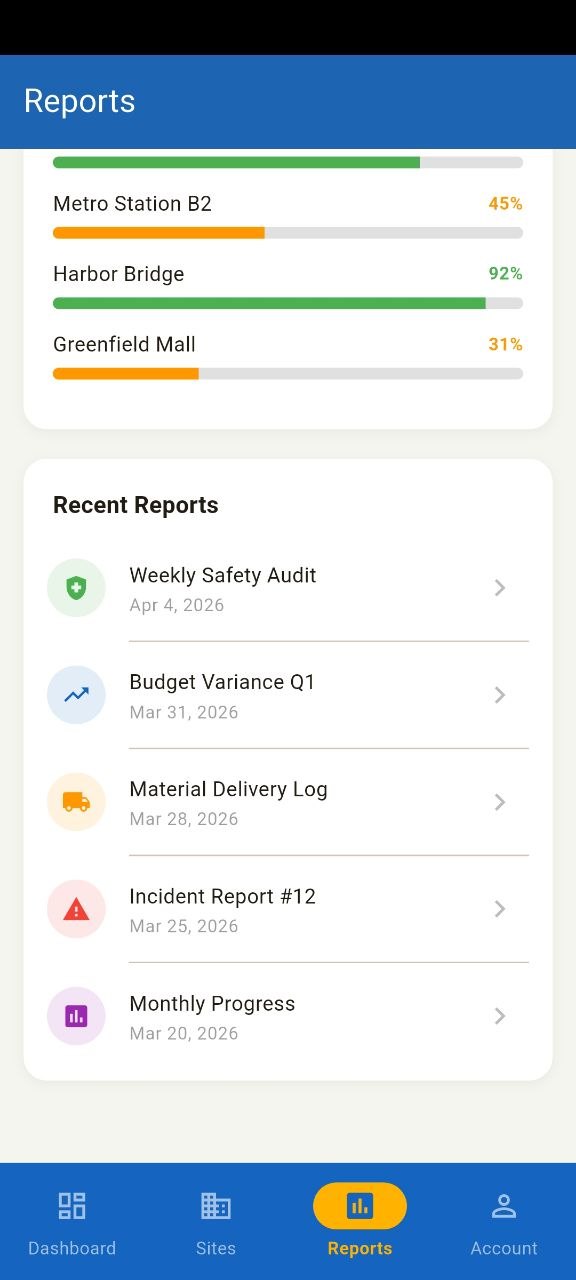
Reports screen
Dashboard Overview Active Sites Supply Chain Progress Tracking Reports Crew Visibility Account Summary Dashboard Overview Active Sites Supply Chain Progress Tracking Reports Crew Visibility Account Summary
Product highlights

Strong screens turned into clear product advantages

The landing uses a limited number of screenshots and gives each of them a specific role, so the page feels designed instead of overloaded.

Dashboard

Start from an overview that immediately shows priority sites

The home dashboard gives users an operational entry point with alerts, site count, crew scale and active project progress cards.

  • Priority message at the top
  • Quick operational metrics
  • Live active site cards
Activity feed

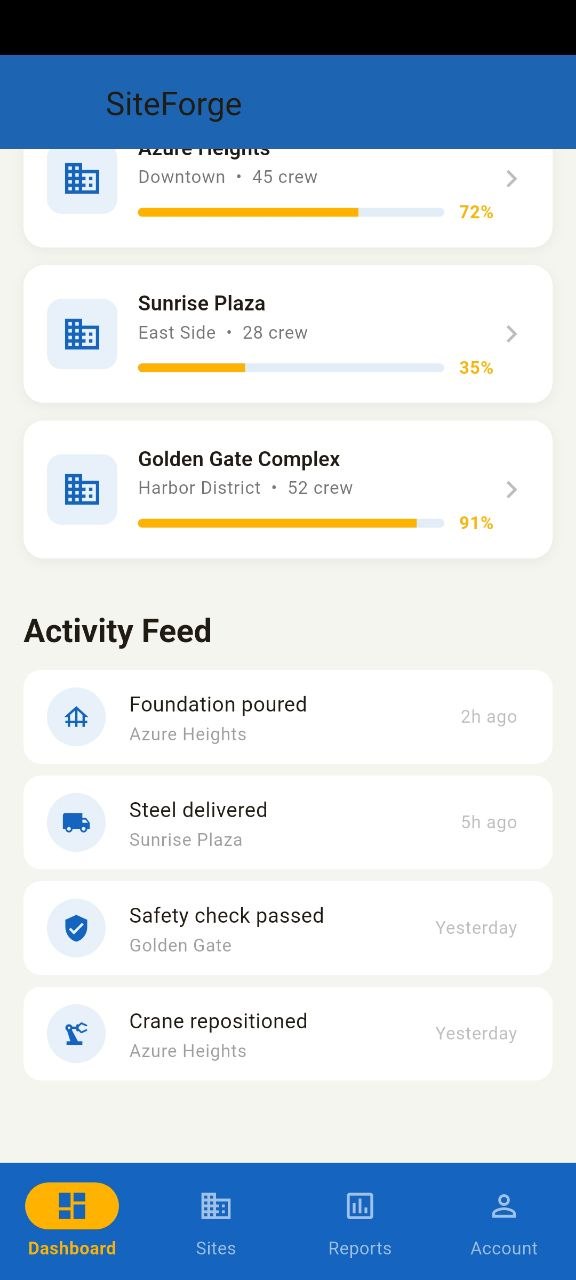
Follow what is happening across sites

Recent operational events such as deliveries, safety checks and site updates keep the app useful during daily supervision.

Site detail

Open a project and inspect deeper progress data

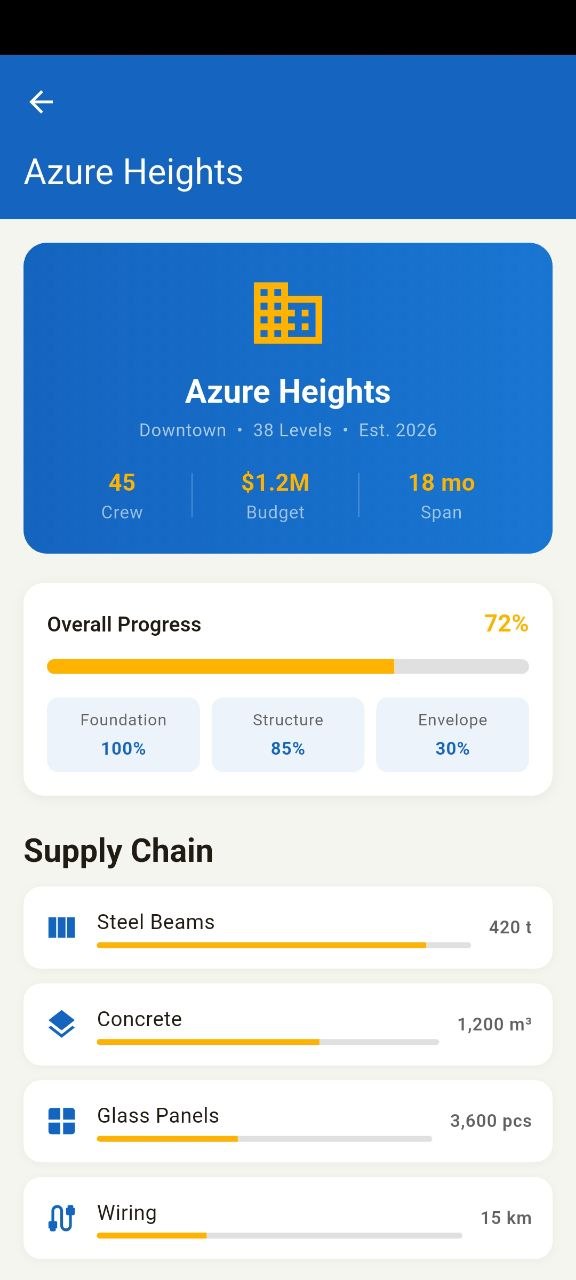
The project detail screen makes the app feel more serious by showing overall progress, substage completion and supply data.

Site management

Keep active and planning locations in one structured list

Site cards show location, levels, crew and current progress, which helps users compare projects quickly without opening each one.

Reports

See budget, inspections and issue load from mobile

Reports convert project operations into readable numbers, progress lines and recent reporting entries.

Account

Give managers a compact professional profile area

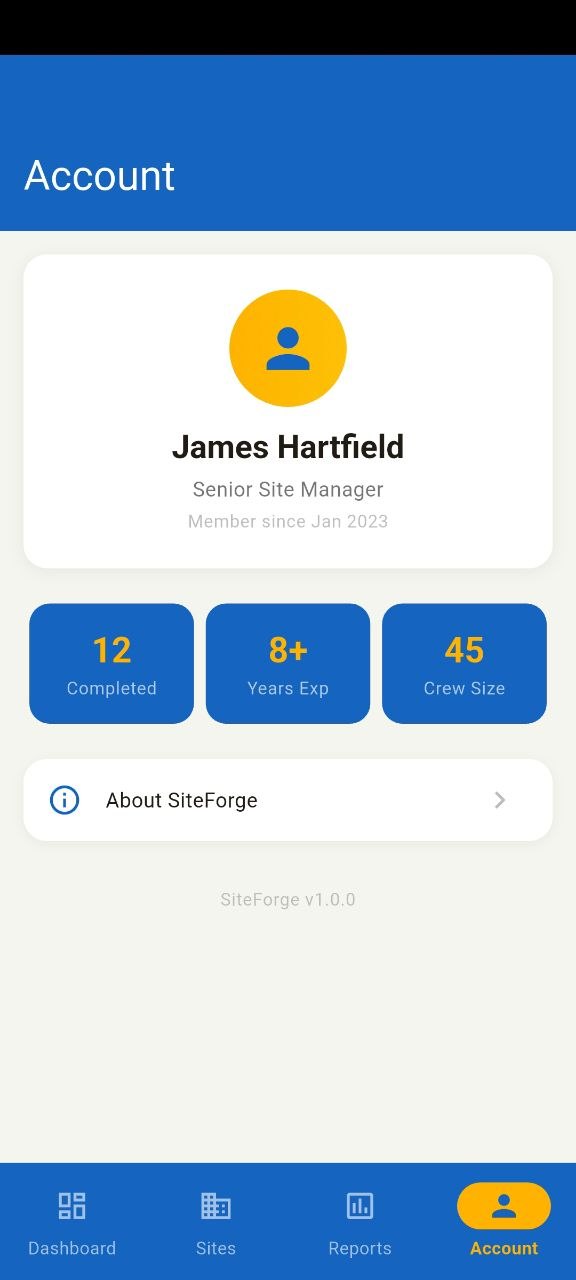
The account screen turns the product into a more complete management tool with role data, experience and completed work stats.

Workflow

Built around the daily construction management loop

The app connects overview, site-by-site control, reporting and personal account context into one consistent mobile workflow.

Check priorities first and understand where attention is needed

The dashboard is designed to answer the first question of the day: what site needs action now, and what is the current state.

Priority alert Site count Crew size Activity feed
Overview preview
Activity preview

Move into site cards and project-level breakdowns

Users can filter active or planning projects, then open a specific site to inspect deeper completion and material flow.

Active projects Planning pipeline Progress % Supply chain
Sites list preview
Site detail preview

Summarize operational performance with cleaner reporting blocks

Budget totals, logged hours, inspections and recent report items make the app more useful beyond just viewing site cards.

Budget Hours Issues Recent reports
Reports overview preview
Recent reports preview
Construction fit Feels built for real site supervision

The app focuses on project status, materials, crews, reporting and management visibility instead of generic mobile widgets.

Site visibility
Operational reporting
Project comparison
Visual identity Blue management base with yellow signal accents

The color system works well for this product because it feels operational, clear and construction-oriented without looking heavy.

Blue shell Yellow emphasis Clean cards Mobile clarity
Controlled screenshot usage Compact screen presentation only where useful

The landing avoids one huge screenshot gallery and instead uses small structured previews that support the page layout.

Detail mini preview
Reports mini preview
Account mini preview
Why it works

Useful for managers who need fast mobile construction visibility

The product feels stronger because it is not only about site lists, but also about progress, attention points, reports and management context.

★★★★★

“The dashboard is straightforward and actually useful. It gives a fast sense of which projects are moving and which need attention.”

Alex P. Project supervisor
★★★★★

“The site detail and supply chain blocks are the strongest part for me. They make the app feel like a real construction tool.”

Martin K. Field operations user
★★★★★

“Reports and account sections give this product more depth than a simple dashboard app. It feels closer to day-to-day management.”

Daniel R. Site manager

A strong construction app should show what is active, what is late, what is progressing and what was reported — all without overloading the screen.

Ready to install?

Keep construction sites, reports and site progress in one place

Download TowerR Site Forge and manage active projects, teams, supply flow and reports from a cleaner mobile interface.

App screen preview